For Euro Truck Simulator 2 & American Truck Simulator
Your phone is now a real GPS for your truck sim.
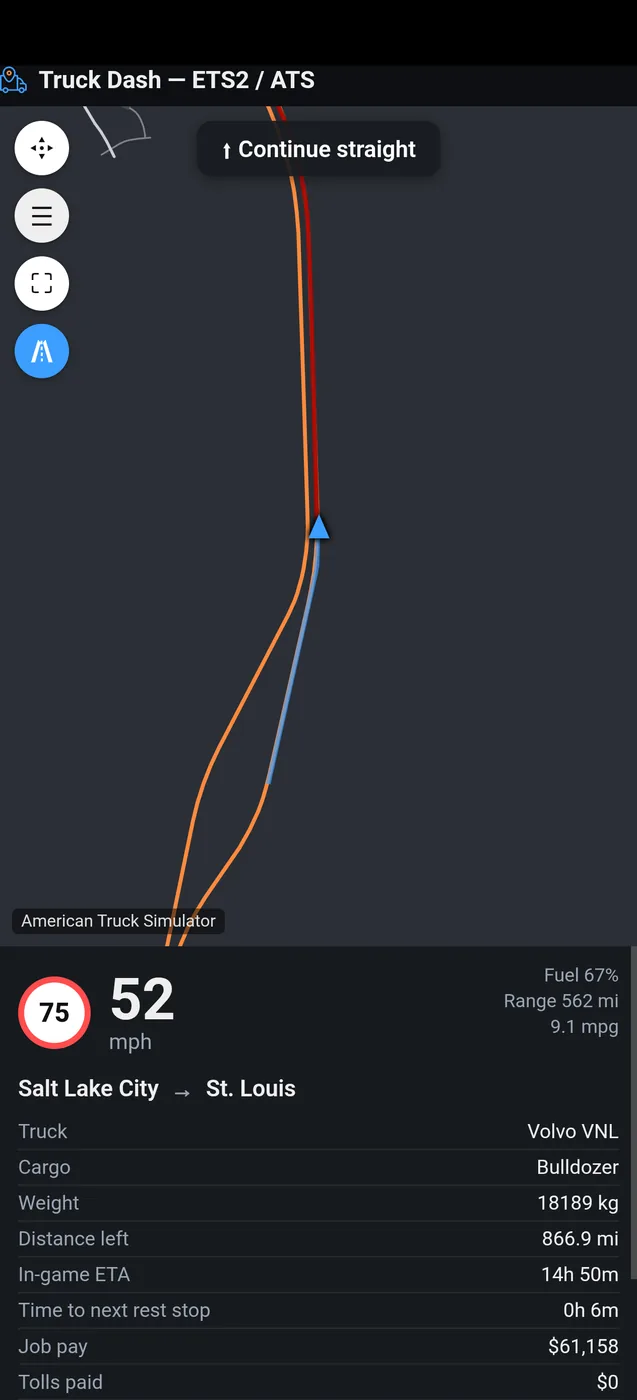
Live map with real roads, turn-by-turn directions, speed limit, fuel and wear, plus a button box to control your truck, on your phone, tablet or second screen.
Portable .exe, no installer, no admin rights. Dashboard opens in any browser.
Truck Dash runs on your Windows PC and your phone is the screen. Try the demo now, and open the link on your PC to download it.
Up and running in two minutes
No installer, no sign-up, no admin rights. Three steps, once.
Download the client
A small portable program for Windows. Unzip it anywhere and run TruckDash.exe. It lives in your system tray.
Let it set up the game
On first run, the client finds your ETS2 / ATS install and installs its telemetry plugin, built on SCS's official SDK, with one click. It sits next to Trucky or any other telemetry tool without touching them. Prefer to do it by hand? The manual steps are in the README.
Drive
Open the game. Your browser opens the dashboard already connected. On your phone, go to trucksim-dash.com/app and type the 8-letter code from the tray icon — your phone doesn't even need to be on the same Wi-Fi.
Everything a truck GPS should do. And then some.
Navigate
Real roads, real routes
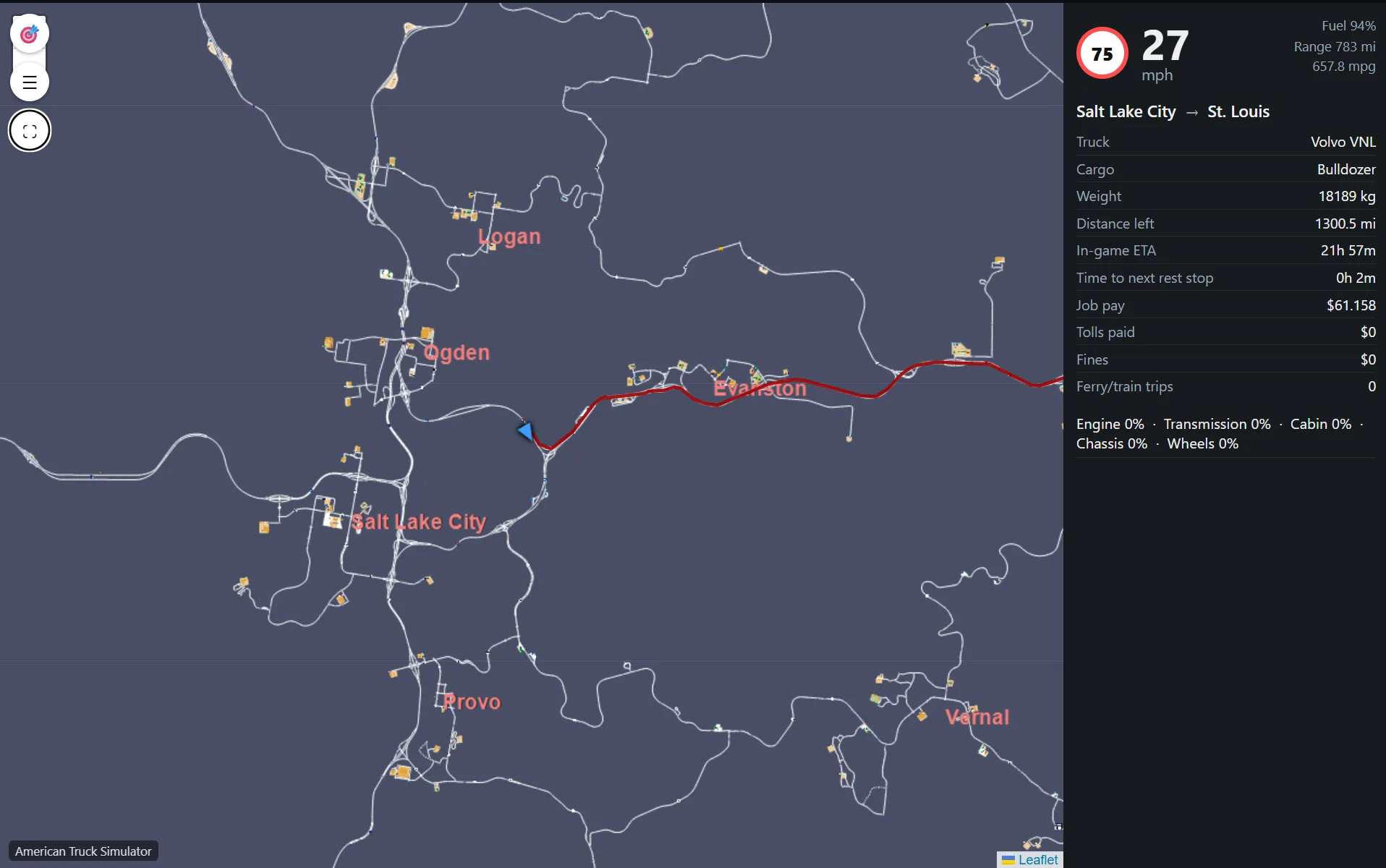
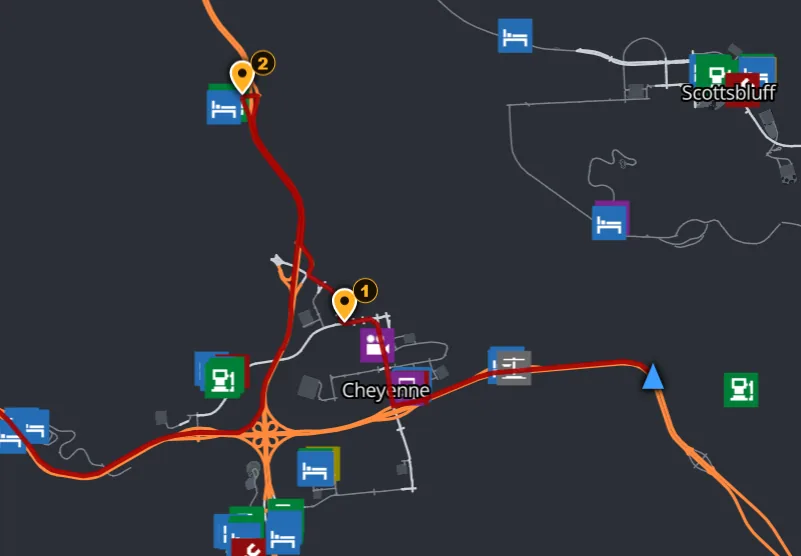
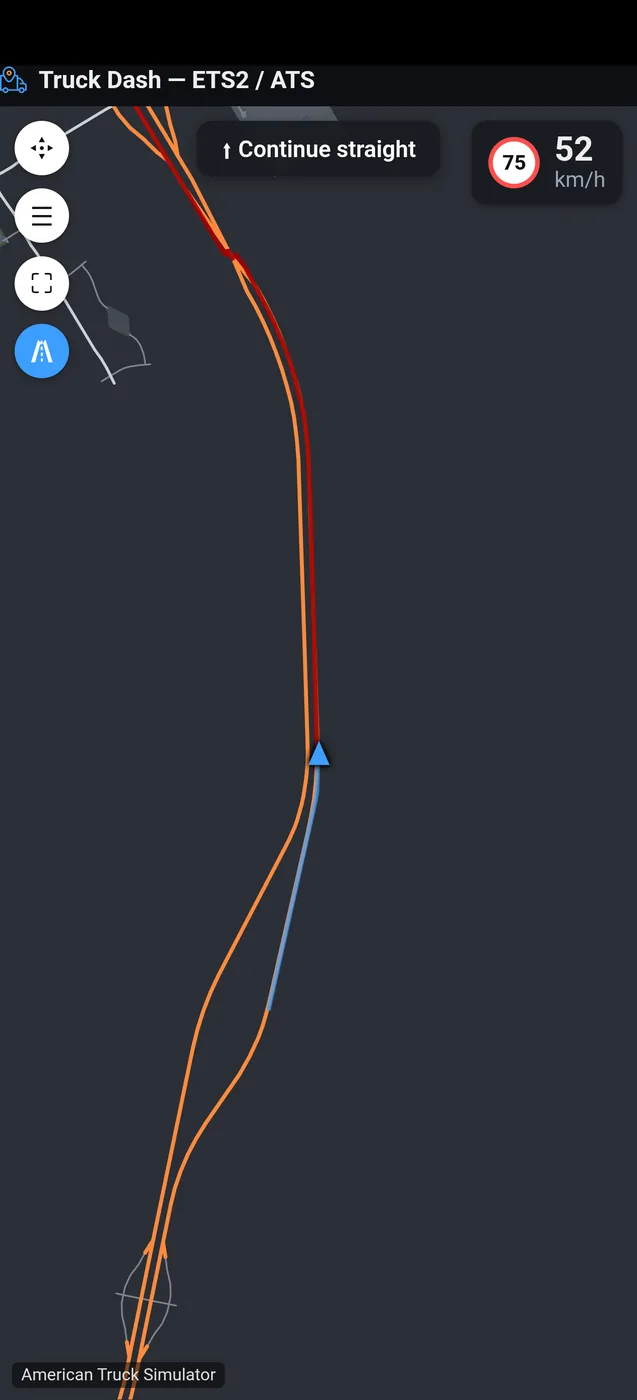
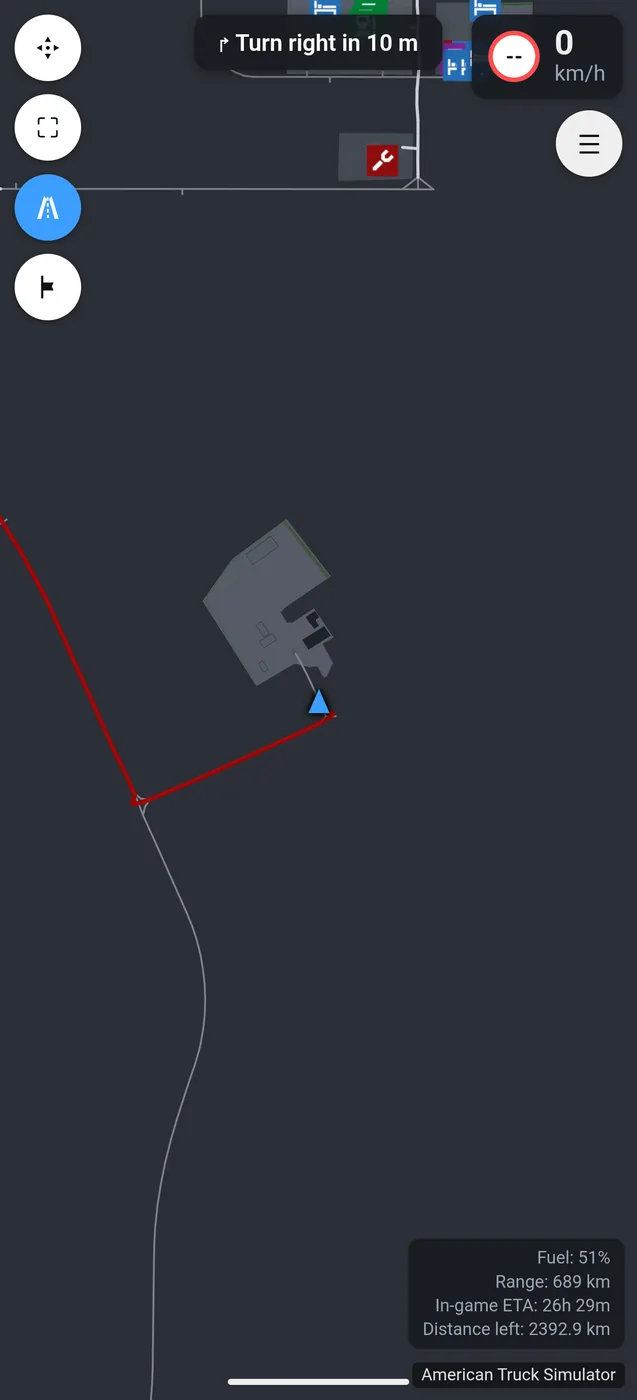
The actual road network of both games, lined up with the game's own coordinates. Turn-by-turn directions with the name of the road you turn onto, a map that turns as you drive, and routes that skip the map DLCs you don't own.
Spoken directions new
A heads-up before each turn, again at the turn, and when you arrive. Natural recorded voices in 8 languages, with no road names to mispronounce. Off by default, one switch in Settings.
Stops along the way
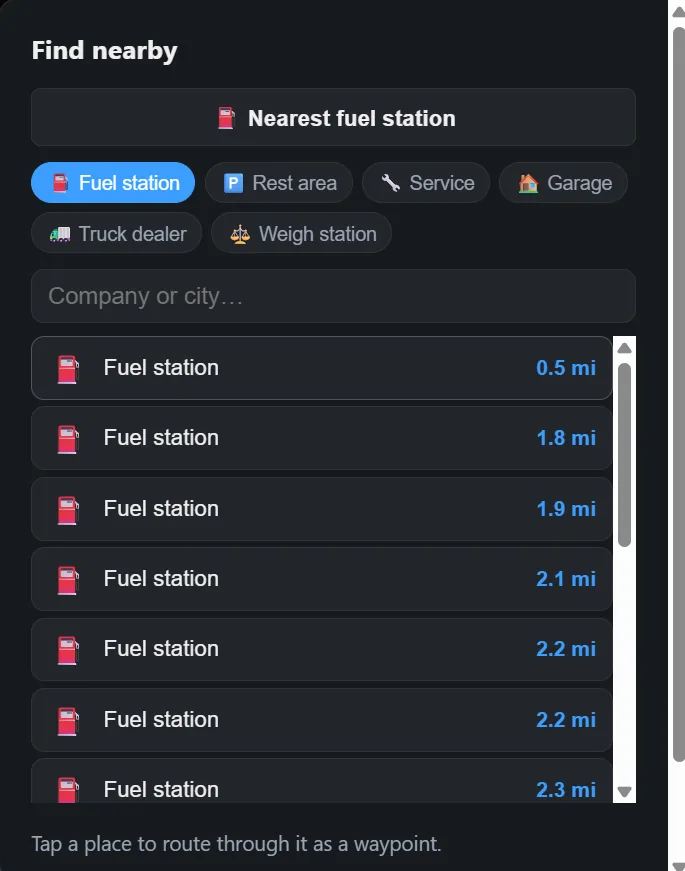
Tap the map, or search fuel, rest areas, service and companies, to route through them. The nearest fuel or rest stop is one tap away, and numbered stops clear themselves as you reach them.
See your truck
A dashboard on any screen
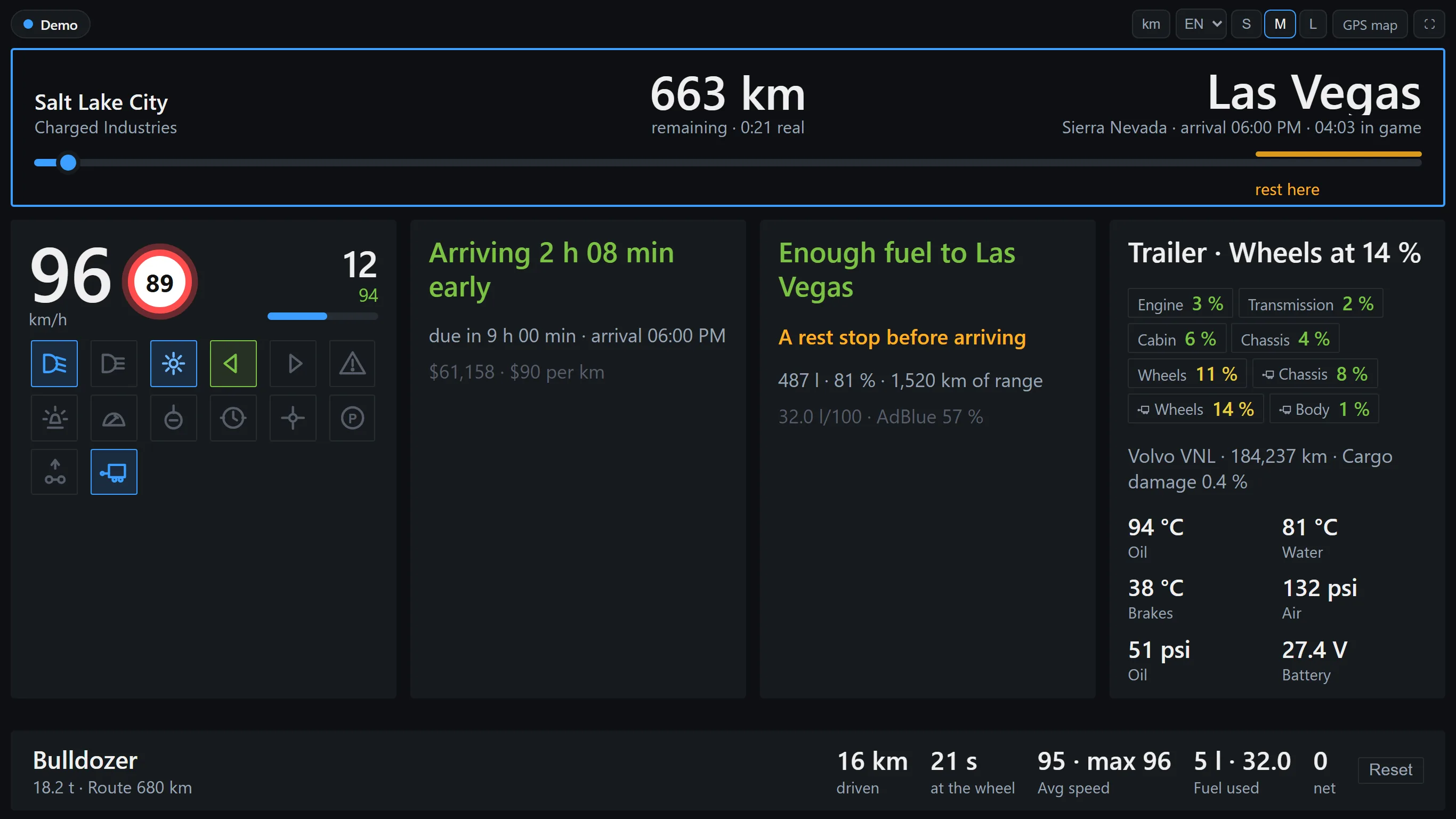
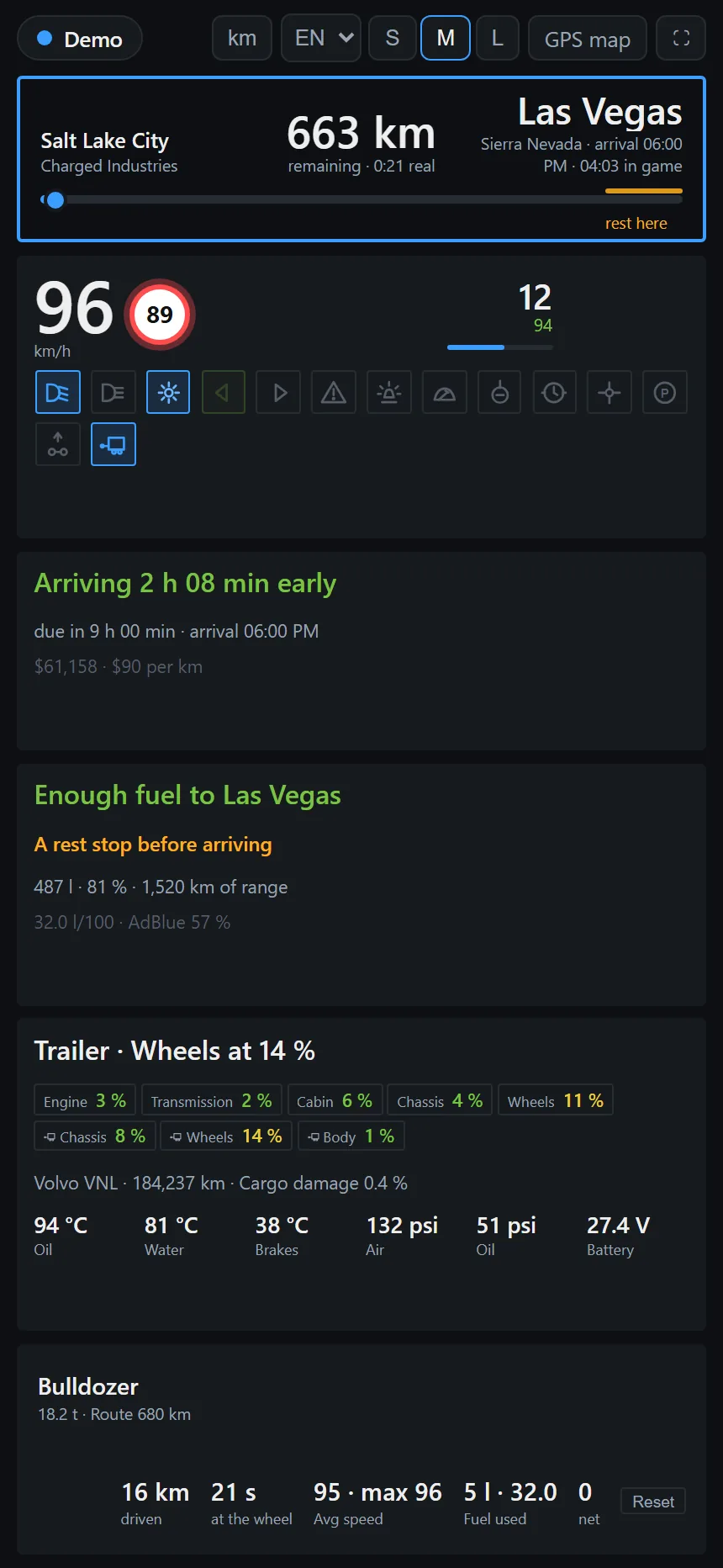
Speed and the limit, cruise, fuel and range, rest, wear, the job deadline and your arrival in real time, on a phone, tablet or second monitor. Your phone can be on mobile data, no same Wi-Fi needed, and every button and panel can be dragged where it suits you.
Truck button box
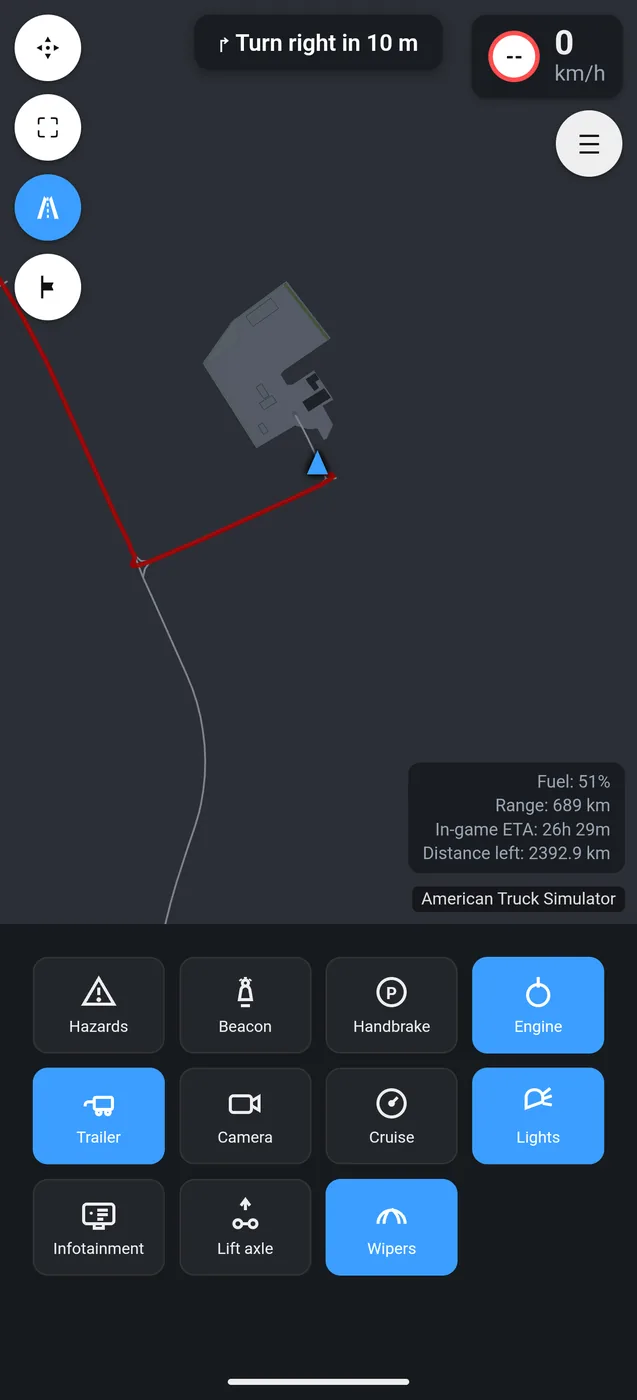
Hazards, beacon, handbrake, engine, trailer, camera, cruise, lights, wipers and more: tap on your phone and the client presses the real key, read from your own in-game controls.
Save and share
Trip history and stats new
With an optional free account, every job is kept: the route colored by speed, pay, fuel and times. A logbook, stats per game, records and achievements, friends to follow, and a public profile only if you want one. More below.
Other drivers, live
Watch Truck Dash drivers move on the public live map, anonymous, with one toggle to stay off it. Or share a 6-letter code with friends and drive as a convoy (beta), each in your own game, no TruckersMP needed.
On stream and on Discord new
A free overlay for OBS with your speed, the next turn and your trip, and a Discord status that shows the run in progress while you drive. Both stay off until you turn them on.
This is what it looks like while driving:

Why not just the game's GPS?
Keep it. Truck Dash runs next to it and adds what can't be done from inside the game.
The whole route, without pausing
In the gameOpening the world map pauses the game (in single player).
With Truck DashThe full route stays on your phone or second monitor while you keep driving.
Arrival in your own time
In the gameThe arrival time is on the game clock, which runs about 20 times faster than yours.
With Truck DashAlso the real time you will get there and how long that is, based on how you are actually driving.
A screen of its own
In the gameThe GPS shares the screen with the road.
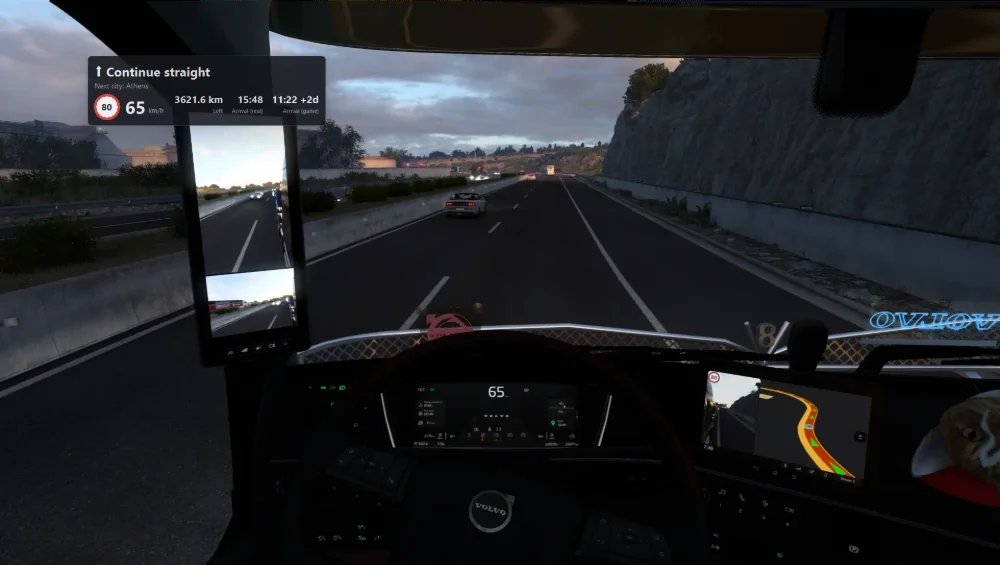
With Truck DashThe map, the next turn and your truck on a phone, tablet or second monitor, or in a small panel on top of the game.
The GPS, on top of the game.
No second screen at hand, or you just don't want to look down? The client draws a small panel over ETS2 and ATS while you drive.
- Speed and speed limit, blinking when you go over
- Next turn and next city, distance left and arrival time from your route
- Arrival on the game clock, to check against your delivery deadline
- Pick what it shows, its size and where it goes. Ctrl+Shift+O shows and hides it
Windows, with the game in a window or in borderless fullscreen. Off by default: turn it on in the client's Setup.
Streaming? There is also an overlay for OBS with your speed, the limit and your trip.
Your trips, saved. If you want.
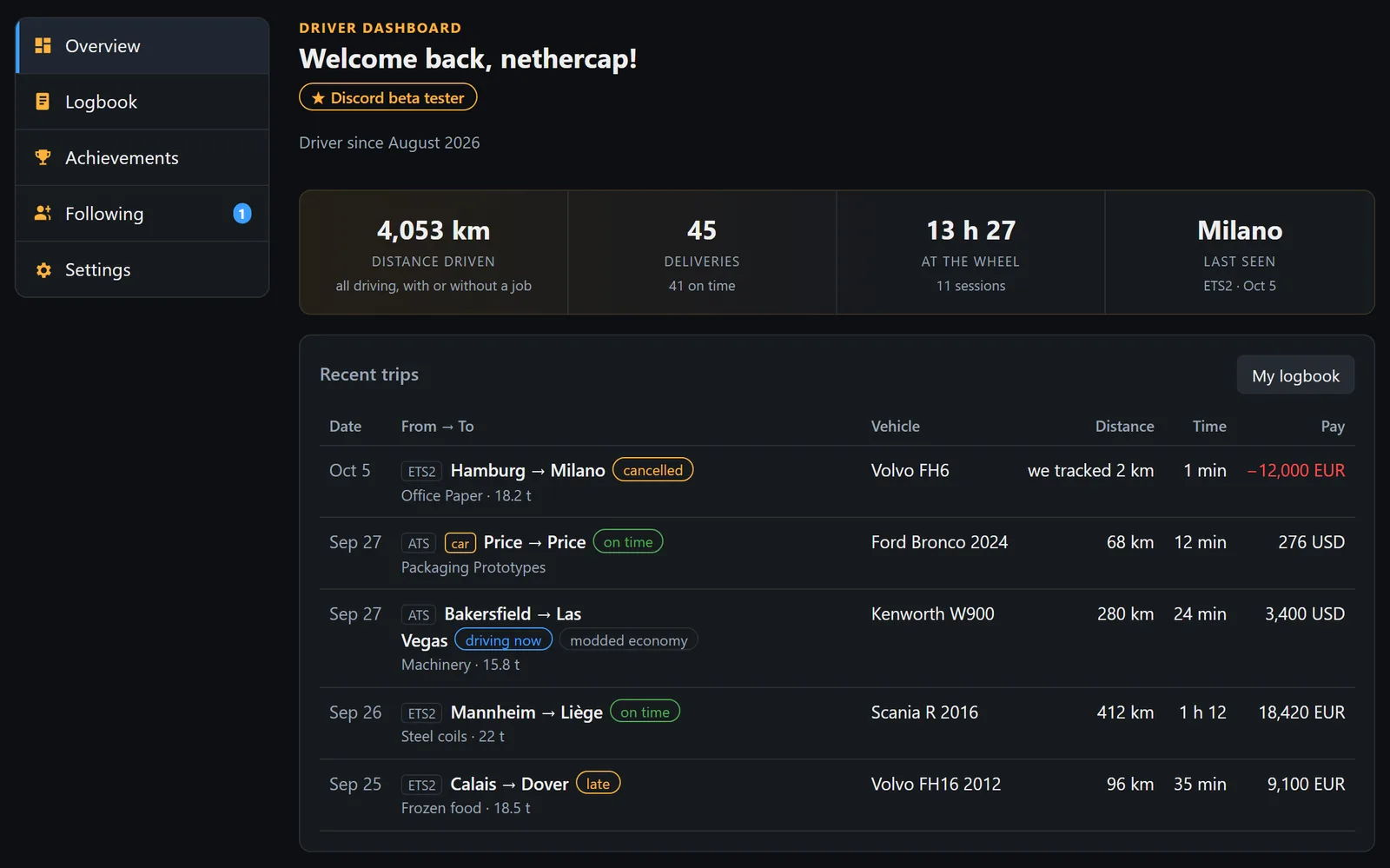
Link the client to a free account and every job you drive is kept: the route on a map, colored by speed, with distance, pay, fuel, tolls, fines, damage and times.
- A logbook you can filter and export to CSV
- Stats for each game, records and achievements
- The countries and states you drove through
- Follow friends: once they accept, you see their trips and where they are driving now
- Private by default. Sign in with Discord, Google or email
Optional: everything else works without an account, and nothing is saved until you link it.
Community
Join the Discord
Every job delivered with Truck Dash is posted live in the server. Ask for help, request a mod, share your rig.
Join our DiscordBugs, ideas or questions? Discord is fastest, or:
Latest jobs delivered
Live from Truck Dash drivers right now.
| Route | Truck | Cargo | Pay | Distance | Game |
|---|
What paid GPS apps charge for, free here
Most truck-sim GPS apps give you a limited free tier and put routing limits, waypoints and ad removal behind a subscription. Truck Dash has no tiers.
| Truck Dash | Paid apps – free tier | Paid apps – Pro | |
|---|---|---|---|
| Live map & turn-by-turn | ✓ | Daily limit | ✓ |
| Unlimited routing | ✓ | ✗ | ✓ |
| Multi-stop waypoints | ✓ | ✗ | ✓ |
| No ads | ✓ | ✗ | ✓ |
| Phone on mobile data (not only same Wi-Fi) | ✓ | ✗ | ✗ |
| Truck button box from your phone | ✓ | ✗ | ✗ |
| See other drivers live | ✓ | ✗ | ✗ |
| Open source | ✓ | ✗ | ✗ |
| Price | Free, forever | Free (limited) | ≈ $5/month or $50/year |
"Paid apps" describes the common free-with-Pro model in this category as of late 2026; check each app for its current terms.
Safe, transparent, yours
Read-only, no admin
The client only reads the game's official telemetry SDK. It never touches your saves, profiles or any other file, and it never asks for administrator rights.
100% open source
Client, backend and web app live in one public repository. Read the code, build it yourself, or verify a release's SHA-256 before running it.
No account needed, no tracking cookies
No sign-up needed. Telemetry is relayed live to your own browser session and not stored. Only delivered jobs (route, cargo, pay) are kept for the community feed, plus your own trips if you link an optional account. This website counts visits anonymously, without cookies.
Map mod support
The client reads which map mods your profile has active and the app loads the matching map on its own — no extra setup, no separate download. You can also pick one by hand in the app's Mods panel.
ATS American Truck Simulator
- Coast to Coast new roads and cities across the US
- ProMods Canada British Columbia
- Coast to Coast + ProMods Canada
- Western + Eastern Canada Expansion from the Yukon to Nova Scotia
- Coast to Coast + Western/Eastern Canada Expansion with their C2C connections
- Reforma Mexico, with Mega Resources and Sierra Nevada
- Reforma + Coast to Coast + ProMods Canada the full pack, with the OtherMaps patch
ETS2 Euro Truck Simulator 2
- ProMods Europe + Middle East, The Great Steppe and Maghreb
- ProMods + RusMap with the ProMods–RusMap connector
- ProMods + Roextended Hybrid edition, with or without RusMap
- Grand Utopia standalone map
- European Grand Utopia the Grand Utopia islands joined to Europe, with or without ProMods
- TruckersMP TruckersMP HQ and the CD road
These mods still need to be installed in your game as usual — Truck Dash just knows how to draw the extra roads and route on them. Want another mod supported? Ask on Discord.
What's next
Everything here is free when it lands, like the rest. The list comes from what people ask for on Discord and GitHub, so it moves.
Already shipped
Updated - · Suggest something
Frequently asked questions
Is it really free? What's the catch?
No catch. No account needed, no ads, no routing limits, no Pro tier. Everything is open source. If you want to support it, you can buy me a tea on Tecito: it's optional and doesn't unlock anything.
Windows or my antivirus says the file is "unrecognized" or dangerous. Is it safe?
Yes. SmartScreen shows that warning for any new program that isn't code-signed (signing certificates cost money). Click "More info" → "Run anyway". The client is open source, needs no admin rights, and only reads the game's telemetry. Each release lists the SHA-256 of the file so you can verify it, and you can run it from source with Python instead. Some antivirus engines flag it for the same reason (an unsigned, self-unpacking executable): it is a false positive: the source and the build log are public. If yours blocks it, you can add an exclusion or run the client from source.
Does my phone need to be on the same Wi-Fi as my PC?
No. Truck Dash pairs your PC and your phone with an 8-letter code through a small relay server, so your phone can be on mobile data, on a different network, or you can even watch from somewhere else. Nothing to configure, no IP addresses to type.
Does it work with ProMods, Coast to Coast or other map mods?
Yes: ProMods (with RusMap and Roextended), Grand Utopia, European Grand Utopia and TruckersMP for ETS2; Coast to Coast, ProMods Canada, Western/Eastern Canada Expansion and Reforma for ATS — in any of the usual combinations. The client detects what your profile runs and the app switches by itself. Want another one? Ask on Discord.
Does it modify the game, my saves or my achievements?
No. It reads data through SCS Software's official Telemetry SDK, which is a supported, read-only feature of both games. Nothing is written to the game, your profile or your saves, and achievements are unaffected. It also works alongside TruckersMP.
What do I need?
A Windows PC running Euro Truck Simulator 2 or American Truck Simulator, and any device with a modern browser for the dashboard: your phone, a tablet, or a second monitor. You can add the dashboard to your home screen so it opens like an app.
The dashboard says "waiting for telemetry". What now?
Three things to check: the telemetry plugin is installed (the client can do it for you from the tray menu), the game is open and you're actually in the truck (not in a menu), and the tray icon shows "connected". The tray menu has a "Show log file" option that says exactly what it detected.
Can I use it with a steering wheel, controller or on a second monitor?
Yes — Truck Dash doesn't care how you drive. Open the dashboard in a browser on a second monitor for a big GPS view, or on a phone mounted on your desk. The button box works from any of them.
Does it work on Linux or the Steam Deck?
Under Proton, yes: the Windows client runs inside the game's Proton prefix, plugin install and pairing code included. The steps and two ready-made launchers are in the client README. The native Linux builds of the games are not supported yet.
Can I use it together with Trucky or other tools?
Yes. Truck Dash installs its own telemetry plugin next to the one Trucky and similar tools use, without replacing or touching it, so both work at the same time.
Support Truck Dash
Truck Dash is made by one person, and keeping it running costs money: the servers and the map hosting. If it's useful to you, a tea helps keep it going. It's optional and it doesn't unlock anything.
Buy me a cup of tea!